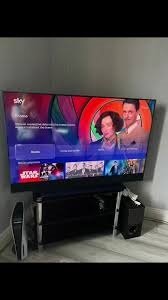
Sky Glass IPTV UK
Modern television is no longer limited to traditional broadcast schedules. With smart televisions, internet-based streaming, and on-demand entertainment, viewers have more flexibility than ever when choosing how and where they watch content. For people using Sky Glass, IPTV can be another way to explore internet-delivered television, provided the service, application, and equipment are compatible.
Getting the best Sky Glass IPTV UK experience requires more than simply connecting a television to the internet. Streaming quality depends on several factors, including broadband stability, Wi-Fi performance, device compatibility, video resolution, application configuration, and the reliability of the IPTV service itself.
A well-planned setup can reduce buffering, improve picture quality, make navigation easier, and create a smoother viewing experience. At the same time, we should pay attention to licensing and security when choosing an IPTV provider. The goal should be a dependable and legitimate setup rather than simply finding the service with the largest advertised channel list.
What Is IPTV and Why Is It Popular?
IPTV means Internet Protocol Television. It describes television content delivered through an internet connection rather than through traditional terrestrial, satellite, or cable distribution.
Instead of receiving a television signal through a conventional broadcast system, an IPTV service sends video data over an internet connection. Depending on the service, viewers may access live channels, video-on-demand content, programme guides, catch-up features, and other forms of digital entertainment.
The popularity of IPTV comes largely from flexibility. Viewers can potentially access content on compatible televisions, streaming devices, smartphones, tablets, and computers.
However, IPTV should not be confused with a specific provider. IPTV is the delivery technology. The legality and reliability of a service depend on the provider and the content it distributes.
Understanding Sky Glass IPTV UK Compatibility
Before setting up IPTV, compatibility should be the first consideration.
Sky Glass provides an integrated smart TV environment, but not every IPTV application or service will necessarily be available directly on the television. Some services may require a compatible application, while others may work through an external streaming device.
This makes it important to determine exactly how the IPTV service is intended to be accessed.
We should check:
- Whether the IPTV application is supported by the intended device
- Whether the service uses a compatible login method
- Whether an external streaming device is required
- Whether the provider supplies installation instructions
- Whether the service supports the desired video quality
- Whether the service is legitimate and properly licensed
Checking these details before purchasing can prevent compatibility problems later.
Choose a Stable Internet Connection
One of the biggest factors affecting Sky Glass IPTV UK performance is the internet connection.
Streaming requires continuous data transfer. If the connection becomes unstable, the stream may pause while the application attempts to load additional video data.
A fast connection is helpful, but consistency matters just as much. A connection that regularly drops or experiences significant congestion can produce poor streaming results even when its advertised download speed is high.
For the best experience, we should consider both broadband speed and connection stability.
Households with several connected devices should also account for simultaneous usage. For example, if one person is streaming 4K content while other household members are gaming, downloading large files, or watching other high-resolution streams, available bandwidth can become limited.
Use Ethernet When Possible
Wi-Fi is convenient, but Ethernet can provide a more consistent connection.
If the relevant streaming equipment supports a wired connection, connecting it directly to the router can reduce interference and improve stability.
This can be particularly useful in homes with:
- Thick walls
- Multiple floors
- Many connected devices
- Wireless interference
- Distant routers
- Busy Wi-Fi networks
A wired connection does not automatically solve every IPTV problem, because provider-side issues can still occur. However, eliminating Wi-Fi instability can make troubleshooting much easier.
Improve Your Wi-Fi Setup
When Ethernet is not practical, optimizing Wi-Fi can make a noticeable difference.
The router should ideally be positioned in a central, open location rather than hidden behind furniture or placed inside a cabinet. Physical obstacles and interference from other electronics can reduce wireless performance.
We should also avoid placing the router unnecessarily far from the television or streaming device.
Modern routers may offer multiple frequency bands. Depending on the home environment, selecting the appropriate network can improve performance. A closer device may benefit from a faster frequency band, while a lower-frequency band may provide better range through walls.
The best option depends on the layout of the home.
Select the Right IPTV Player
An IPTV service and IPTV player are not necessarily the same thing.
The provider may supply access credentials or a playlist, while the player is the application used to display the content.
A good IPTV player should offer a clean interface, reliable playback, useful navigation, and support for the relevant playlist or login format.
Features worth considering include:
- Electronic programme guide support
- Favourites
- Channel categories
- Multiple playlist support
- Playback controls
- Catch-up compatibility
- Parental controls where available
- Simple navigation
The best application is not necessarily the one with the most features. Stability and ease of use can be more valuable for everyday viewing.
Focus on Video Quality
A high-quality television can display excellent images, but the source stream still determines much of the final picture quality.
A stream advertised as HD may vary considerably in actual quality depending on its bitrate, encoding, source material, and transmission quality.
The same applies to 4K.
True 4K streaming requires suitable source content, sufficient bandwidth, compatible equipment, and a stream encoded at an appropriate quality level.
We should therefore avoid judging an IPTV service solely by labels such as “HD” or “4K.” Actual performance matters more than marketing terminology.
Avoid Unnecessary Network Congestion
When several devices compete for bandwidth, streaming performance can suffer.
Before watching high-resolution IPTV content, we can improve network conditions by reducing unnecessary downloads and bandwidth-heavy activities.
For example, large game updates, cloud backups, device synchronization, and other intensive transfers can consume significant bandwidth.
If buffering consistently occurs at specific times of day, network congestion may be contributing to the problem.
Testing the connection at different times can help identify whether the issue is related to household usage or the IPTV service itself.
Sky Glass IPTV UK and Buffering Problems
Buffering is one of the most common complaints associated with internet television.
There are several possible causes.
Weak Wi-Fi
A weak wireless signal can interrupt the flow of data. Moving the router closer or using a wired connection can help.
Insufficient Bandwidth
If several devices are consuming bandwidth simultaneously, there may not be enough capacity for a high-resolution stream.
Provider Server Problems
If your internet connection works well with other streaming platforms but one IPTV service constantly buffers, the provider’s infrastructure may be responsible.
Application Issues
An outdated or poorly configured application can also affect playback.
Network Congestion
Peak usage periods can place additional demand on broadband networks.
Identifying the actual cause is important because changing settings will not fix a problem originating from the IPTV provider.
Restart Your Network Equipment
A simple router restart can sometimes resolve temporary connectivity problems.
Network equipment can experience temporary issues involving connections, device allocation, or network congestion. Restarting the router gives it an opportunity to establish fresh connections.
However, restarting the router repeatedly should not be treated as a permanent solution. If buffering continues, we should investigate the underlying cause.
Keep Applications and Devices Updated
Software updates can improve compatibility, performance, security, and stability.
Before troubleshooting IPTV playback, we should check whether the relevant television software, application, or external streaming device has available updates.
Using outdated software can sometimes cause unexpected playback problems, particularly when services change their technical requirements.
Updates should preferably be obtained through legitimate device or application channels.
Choose a Legitimate IPTV Provider
Technology alone does not determine whether an IPTV service is appropriate.
A provider offering television content should have the necessary rights to distribute that content. We should therefore evaluate the provider’s transparency and licensing position before subscribing.
Extremely cheap services that claim to offer virtually every premium television channel, major sports event, movie library, and international channel package should be approached carefully.
Warning signs can include:
- Unclear provider information
- Unrealistic channel claims
- Suspicious payment methods
- No clear terms of service
- Poor customer support
- Requests to install unknown software
- Unusually low prices for premium content
Choosing a legitimate service is important for both legal and security reasons.
Security Tips for IPTV Users
Security should be part of the setup process.
We should avoid downloading applications from unknown websites or installing modified software simply because it promises additional features.
If an IPTV application requests unnecessary permissions, we should consider whether those permissions are genuinely required.
Account credentials should also be kept private. Reusing the same password across multiple services can create unnecessary security risks.
When payments are required, trustworthy and transparent payment methods are preferable.
How to Get Better 4K IPTV Performance
4K streaming places greater demands on both the network and the streaming system.
To maximize performance, we should use a stable broadband connection and avoid unnecessary network activity while watching demanding content.
A wired connection can be especially useful when available.
We should also remember that the television’s 4K display capability does not transform lower-resolution content into genuine 4K source quality.
The IPTV stream itself must provide suitable resolution and bitrate.
Using an External Streaming Device
If the required IPTV application is not available directly through the television environment, an external streaming device may provide another route.
External devices can offer broader application compatibility and may provide additional configuration options.
However, adding another device also introduces another point that can affect performance. The device needs sufficient processing capability, stable internet access, current software, and appropriate application support.
We should therefore choose equipment based on compatibility rather than simply buying the most expensive option.
How to Test an IPTV Service Before Committing
A practical test is more valuable than relying entirely on promotional claims.
During an initial testing period, we should evaluate:
Live channel stability: Check whether channels remain available without frequent interruptions.
Picture quality: Test different resolutions and content types.
EPG performance: Check whether programme information is accurate and updated.
On-demand content: If included, test several titles rather than only one.
Peak-hour performance: Test the service during busy viewing periods.
Customer support: Ask a genuine technical question and assess the response.
Device compatibility: Confirm that the service works correctly with the intended setup.
This provides a much clearer picture of the service than a channel-count advertisement.
Monthly vs Long-Term IPTV Plans
Long-term subscriptions can sometimes offer lower monthly prices, but they also involve greater commitment.
For an unfamiliar provider, a shorter subscription period can be a sensible way to evaluate reliability.
We should not commit to a long-term plan solely because the price appears attractive.
A cheaper service that regularly buffers or becomes unavailable may ultimately provide less value than a dependable service with a higher monthly cost.
Value should therefore be measured through reliability, usability, content quality, support, and legitimacy.
Sky Glass IPTV UK: Best Practices for Everyday Streaming
Once the setup is working correctly, a few habits can help maintain good performance.
Keep the relevant software updated and monitor the quality of the home network. Avoid unnecessary bandwidth-heavy activity when streaming demanding content.
If a problem occurs, troubleshoot systematically rather than changing multiple settings at once.
First check the internet connection. Then test another streaming service. After that, examine the IPTV application and finally consider whether the provider itself may be experiencing an issue.
This approach makes it easier to identify the actual cause.
Common Mistakes to Avoid
Several mistakes can make IPTV setup unnecessarily complicated.
Choosing a Provider Based Only on Price
The cheapest service is not necessarily the best value.
Ignoring Compatibility
Buying a subscription before confirming application support can lead to unnecessary frustration.
Assuming More Channels Means Better Quality
A large channel list does not guarantee stable streams or good picture quality.
Blaming Wi-Fi for Every Problem
If other streaming platforms work perfectly while one IPTV service repeatedly fails, the provider may be responsible.
Ignoring Legal Considerations
The content rights associated with a service matter. We should choose providers that legitimately distribute the content they offer.
Conclusion
A smooth Sky Glass IPTV UK experience depends on more than having a smart television and an internet connection. We need to consider the complete setup, including application compatibility, broadband stability, Wi-Fi performance, streaming quality, network congestion, and provider reliability.
The strongest setup begins with choosing a legitimate service that is compatible with the intended equipment. From there, improving the home network and selecting suitable playback hardware can help reduce common problems such as buffering and poor picture quality.
We should also test an unfamiliar service before making a long-term commitment. Checking live channels, video quality, programme information, application stability, and customer support gives us practical information about whether the service is genuinely suitable.
Ultimately, the best Sky Glass IPTV UK setup is one that combines reliable technology with a stable connection, sensible configuration, strong security practices, and legitimate content. By focusing on these fundamentals rather than promotional channel counts alone, we can create a more consistent and enjoyable streaming environment.
FAQs
1. How can we improve Sky Glass IPTV UK streaming quality?
We can improve performance by using a stable internet connection, reducing network congestion, optimizing Wi-Fi, using Ethernet where possible, keeping applications updated, and selecting a reliable IPTV service.
2. Why does IPTV buffer even with fast internet?
Speed is only one factor. Buffering can also result from Wi-Fi interference, network congestion, application problems, unstable connections, or overloaded IPTV servers.
3. Is 4K IPTV possible on Sky Glass?
The availability of 4K IPTV depends on the service, application, device configuration, source content, and bandwidth. A 4K television alone does not guarantee a genuine 4K IPTV stream.
4. Should we use Wi-Fi or Ethernet for IPTV?
Ethernet is generally preferable when practical because it can provide a more stable connection. Good-quality Wi-Fi can also work well when the router and streaming device are positioned appropriately.
5. How should we choose an IPTV provider?
We should evaluate compatibility, reliability, picture quality, customer support, pricing transparency, security practices, and whether the provider has appropriate rights to distribute its content.