Choosing a paper shredder is not simply about finding a machine that cuts documents. The way a shredder cuts paper determines how small the resulting pieces are and, consequently, how difficult the information is to reconstruct.
The three common cutting styles are strip-cut, cross-cut, and micro-cut. Each has different characteristics, making some better suited to everyday paperwork while others are more appropriate for confidential or highly sensitive information.
If you are buying a shredder for your home, office, or business, understanding these differences can help you choose a machine that matches your document-security requirements.
Toyzinn’s current Shredders collection includes cross-cut and micro-cut options, with models designed for different workloads and document-destruction needs.
What Is the Difference Between Shredder Cutting Types?
The main difference is how the machine cuts the paper.
Strip-Cut
Strip-cut machines slice documents into long, narrow strips.
Cross-Cut
Cross-cut machines cut paper in multiple directions, producing smaller particles.
Micro-Cut
Micro-cut machines produce significantly smaller particles than standard cross-cut models and are generally selected when a higher level of document security is required.
The smaller the particles, the more difficult it generally becomes to reconstruct the original document.
However, cutting type is only one factor to consider. Sheet capacity, operating cycle, shredding speed, bin size, and the sensitivity of the documents also matter.
What Is a Strip-Cut Shredder?
A strip-cut shredder uses rotating blades to cut paper into long strips.
For example, instead of turning an A4 document into small pieces, the machine produces narrow strips running along the document.
Advantages of Strip-Cut Shredders
Strip-cut models can offer several practical benefits:
- Straightforward operation
- Fast document processing
- Less complicated cutting
- Suitable for lower-sensitivity documents
- Often simpler to maintain
- Can provide efficient shredding for routine paperwork
They can be useful where extremely high document security is not required.
Limitations of Strip-Cut Shredders
The larger strips can potentially make document reconstruction easier compared with cross-cut or micro-cut particles.
Therefore, strip-cut may not be the preferred option for documents containing highly sensitive personal, financial, or confidential business information.
What Is a Cross-Cut Shredder?
A cross-cut shredder cuts paper in two directions, producing much smaller pieces than a traditional strip-cut machine.
This makes it considerably more difficult to reconstruct the original document.
Cross-cut shredders are commonly suitable for documents such as:
- Personal records
- Bills
- Financial paperwork
- Business documents
- Customer information
- Internal office paperwork
Toyzinn currently lists cross-cut models such as the Rexel Momentum X410-SL, Momentum Extra XP418+, and Secure X8 in its Shredders collection.
Advantages of Cross-Cut Shredders
A cross-cut shredder machine can provide a useful balance between security and everyday practicality.
Potential benefits include:
- Higher security than strip-cut
- Smaller shredded particles
- Suitable for many home and office applications
- Available in different capacities
- Good option for confidential paperwork
For many households and businesses, cross-cut is a practical middle ground.
What Is a Micro-Cut Shredder?
A micro-cut shredder produces extremely small particles compared with traditional strip-cut machines.
It is designed for situations where document security is a higher priority.
Micro-cut models can be considered for sensitive documents such as:
- Confidential business records
- Financial information
- Personal data
- Sensitive customer information
- Internal company documents
- Documents requiring higher levels of destruction
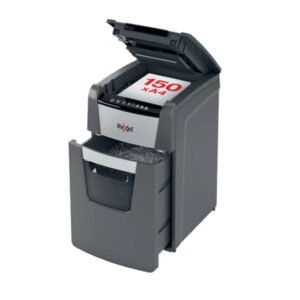
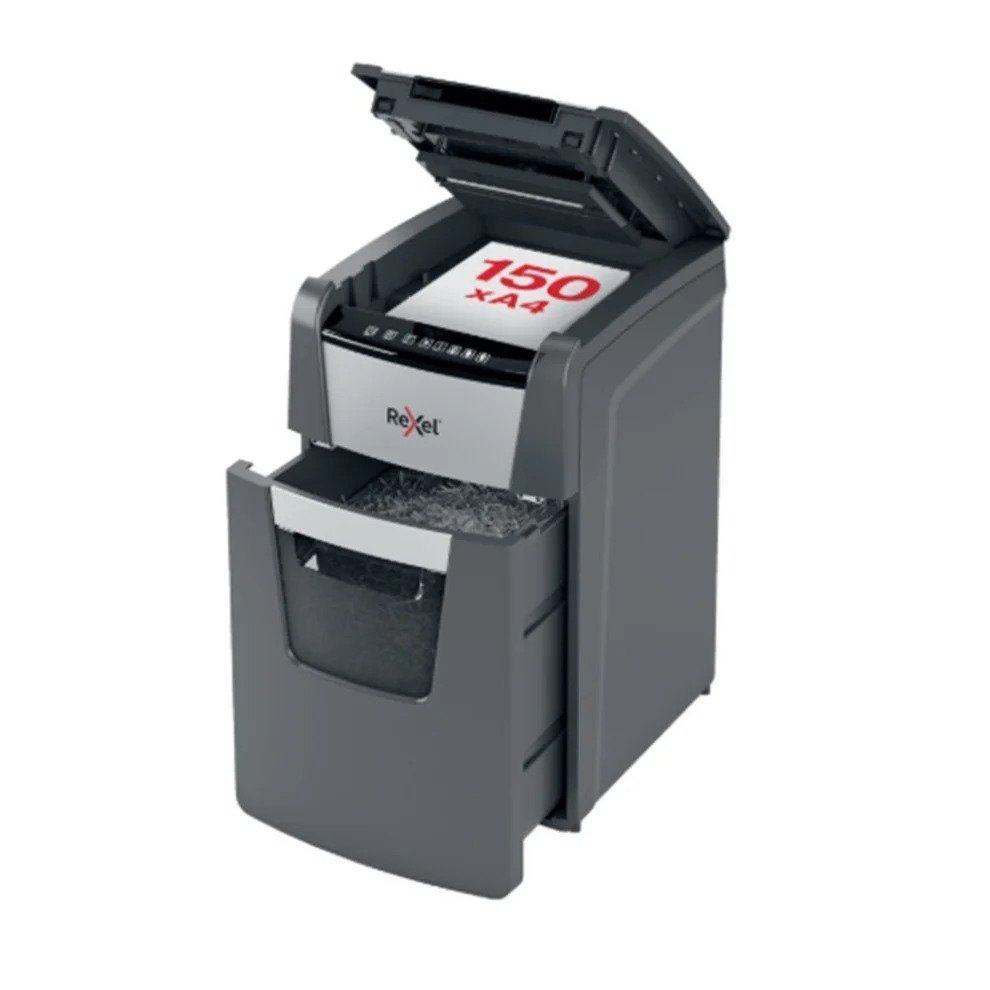
Toyzinn’s current collection includes several Rexel Optimum AutoFeed+ micro-cut models, including machines with automatic-feed capacities of 150, 600, and 750 sheets under specified conditions.
Advantages of Micro-Cut Shredders
The major advantage is the very small particle size.
Other potential benefits include:
- High document-security potential
- Difficult reconstruction
- Suitable for sensitive paperwork
- Useful for organizations with strict document-disposal requirements
Limitations of Micro-Cut Shredders
Micro-cut machines can have different performance characteristics from strip-cut and cross-cut models.
Depending on the machine, buyers may need to consider:
- Shredding speed
- Sheet capacity
- Operating cycle
- Bin capacity
- Maintenance
- Price
A higher security level is not always necessary for every document.
Cross-Cut vs Strip-Cut vs Micro-Cut
The easiest way to understand the differences is to compare the three options.
| Feature | Strip-Cut | Cross-Cut | Micro-Cut |
| Particle size | Large strips | Smaller particles | Very small particles |
| Security | Basic | Higher | Very high |
| Reconstruction difficulty | Relatively easier | More difficult | Most difficult |
| Typical use | Routine paperwork | Personal and business documents | Highly sensitive documents |
| Home use | Possible | Very common choice | Useful for sensitive documents |
| Office use | Suitable for lower-sensitivity paperwork | Common option | Useful for confidential information |
| Processing needs | Generally straightforward | Moderate | Varies by model |
The exact security classification depends on the machine’s specifications and applicable standards.
Which Shredder Is Best for Home Use?
For many households, a cross-cut paper shredder can provide a good combination of security and convenience.
Home users may need to destroy:
- Bank statements
- Bills
- Receipts
- Old financial documents
- Personal correspondence
- Documents containing addresses
- Printed account information
A cross-cut machine can offer more protection than a basic strip-cut model without necessarily requiring the highest-security equipment.
When Should You Choose Micro-Cut for Home?
A micro-cut machine may make sense if your household regularly handles particularly sensitive information.
For example:
- Financial records
- Confidential business documents
- Sensitive personal information
- Large quantities of private paperwork
The decision should depend on the sensitivity of your documents rather than simply choosing the highest available security level.
Which Shredder Is Best for Office Use?
The best office shredder depends heavily on document volume and sensitivity.
A small office that occasionally destroys paperwork may be well served by a cross-cut model.
A larger office may benefit from:
- Higher sheet capacity
- Larger waste bin
- Longer operating cycle
- Automatic feeding
- Micro-cut security
- Jam protection
The right choice depends on how much paperwork your office generates.
When Is a Strip-Cut Shredder Enough?
Strip-cut may be suitable when documents do not contain information that requires a higher level of destruction.
Potential examples include:
- General office drafts
- Non-sensitive notes
- Unimportant printed materials
- Documents containing information that is already publicly available
However, organizations should follow their own information-security policies and document-retention procedures.
When Should You Choose a Cross-Cut Shredder?
Cross-cut is a practical option when you need stronger document destruction than strip-cut.
It can be appropriate for:
- Personal information
- Financial paperwork
- Business records
- Customer documents
- Employee paperwork
- Internal correspondence
For many everyday home and office applications, cross-cut provides a useful balance between security and usability.
When Is Micro-Cut the Better Choice?
Micro-cut may be preferable when the information contained in the documents is particularly sensitive.
Consider it for documents involving:
- Confidential financial information
- Sensitive personal data
- Business secrets
- Customer information
- Highly confidential company records
Organizations should also consider their legal, regulatory, and internal information-security requirements when determining the appropriate destruction method.
Does Smaller Mean Better?
Not necessarily.
Smaller particles generally make reconstruction more difficult, but choosing a shredder should involve more than particle size.
You should also consider:
- How much paper you shred
- How often you use the machine
- How many sheets it accepts
- How large its bin is
- How long it can operate
- Whether automatic feeding is useful
- How much noise it produces
- What maintenance it requires
For example, a micro-cut machine with a very small manual feed capacity may not be the most convenient choice for a business processing large volumes of paperwork.
What Is a P-Level Security Rating?
You may see terms such as P-4 or P-5 when comparing document shredders.
These refer to security levels defined under the DIN 66399 standard for the destruction of data media.
The P category relates specifically to paper information.
Generally, a higher P-number represents smaller particle sizes and a higher level of destruction.
However, buyers should always verify the manufacturer’s stated security rating and particle dimensions rather than relying only on the word “micro-cut.”
P-4 vs P-5 Shredders
P-4 is commonly associated with cross-cut shredders designed for confidential documents.
P-5 represents a higher level of destruction, with smaller particles.
The appropriate level depends on the sensitivity of the information being destroyed.
For ordinary personal and business documents, P-4 may be sufficient in many situations.
For more sensitive information, a higher security level may be appropriate.
Does Cutting Type Affect Shredding Speed?
It can.
Different cutting systems, motors, and machine designs can result in different processing speeds.
When comparing models, look at the manufacturer’s specifications for:
- Sheets per pass
- Sheets per minute
- Continuous runtime
- Automatic-feed capacity
Do not assume that two machines with the same cutting type will have identical performance.
Does Cutting Type Affect Bin Capacity?
The size of the shredded particles affects how much material can fit into the waste bin.
Smaller particles can often pack differently from long strips.
However, the actual bin capacity depends on the specific model.
When choosing a machine, check the manufacturer’s stated bin size rather than assuming that all micro-cut or cross-cut models have the same capacity.
Manual-Feed vs Automatic-Feed Shredders
Cutting type is not the only feature that affects convenience.
The feeding method is also important.
Manual Feed
You insert documents into the machine yourself.
This can be suitable for:
- Occasional use
- Home offices
- Small document batches
Automatic Feed
You place a larger stack of documents into the machine, and it processes them automatically.
This can be useful for:
- Busy offices
- Large document batches
- Regular document disposal
- Users who want to reduce manual feeding
Toyzinn’s current collection includes automatic-feed micro-cut models with different stated capacities.
How Many Sheets Should Your Shredder Handle?
The answer depends on your workload.
Occasional Home Use
A lower manual-feed capacity may be sufficient.
Home Office
A moderate-capacity machine can provide greater convenience.
Small Office
Look for a higher-capacity model and a suitable operating cycle.
High-Volume Office
Automatic feeding and larger waste capacity may become more important.
Always follow the manufacturer’s maximum sheet capacity.
What Documents Should You Shred?
The following documents can contain information that should not simply be discarded:
- Bank statements
- Credit-card statements
- Bills
- Receipts containing personal details
- Tax documents
- Employee records
- Customer information
- Contracts
- Internal business documents
- Old application forms
- Documents containing account details
Not every document requires the same security level.
Classify documents according to their sensitivity and select an appropriate destruction method.
Common Mistakes When Choosing a Shredder
Choosing Only by Price
The cheapest machine may not provide the security or capacity you need.
Choosing Only by Security Level
The highest security level is not automatically the most practical option.
Ignoring Sheet Capacity
A low-capacity machine can become frustrating when processing large document stacks.
Forgetting the Duty Cycle
A machine designed for occasional use may not be appropriate for heavy office workloads.
Ignoring Bin Size
A small bin may require frequent emptying.
Assuming All Cross-Cut Machines Are the Same
Different models can have very different speeds, capacities, particle sizes, and operating cycles.
Not Checking Supported Materials
Some machines can handle staples or other materials while others may not.
How to Choose Between the Three
Use this simple decision process.
Choose Strip-Cut If:
- Your documents have relatively low sensitivity.
- You want basic document destruction.
- Your workload is modest.
- High-security destruction is not required.
Choose Cross-Cut If:
- You regularly destroy personal information.
- You handle financial documents.
- You need stronger security than strip-cut.
- You want a practical home or office option.
Choose Micro-Cut If:
- You handle highly sensitive documents.
- Security is a major priority.
- You want very small shredded particles.
- Your document-handling requirements justify the additional cost and processing characteristics.
What Should Businesses Consider?
Businesses should not select a shredder solely based on cutting style.
They should also consider:
- Document sensitivity
- Number of employees
- Daily document volume
- Operating cycle
- Security policies
- Bin capacity
- Automatic feeding
- Maintenance
- Noise
- Workspace
- Budget
A small business may have completely different requirements from a large financial or legal organization.
How to Maintain Your Shredder
Regardless of the cutting type, regular maintenance can help maintain performance.
Follow the manufacturer’s instructions for:
- Lubrication
- Cleaning
- Emptying the bin
- Clearing jams
- Removing paper dust
- Checking the feed opening
Avoid exceeding the machine’s recommended sheet capacity.
If the manufacturer recommends shredder oil or specific maintenance products, follow those instructions.
Final Verdict: Which Cutting Type Should You Choose?
There is no single shredder that is best for everyone.
Strip-cut is suitable for lower-sensitivity paperwork where basic destruction is sufficient.
Cross-cut offers a stronger level of document destruction and can be a practical choice for many households and offices.
Micro-cut provides very small particles and is often considered when handling highly sensitive information.
The best option depends on what you need to destroy, how frequently you use the machine, and how much security your documents require.
When comparing paper shredder machines, look beyond the cutting type. Consider capacity, speed, operating cycle, bin size, feeding method, maintenance, and security rating.
The goal is not to buy the most powerful machine available. The goal is to choose a shredder that provides the appropriate level of security while comfortably handling your workload.
For households and businesses looking for other useful products, including toys near me, Toyzinn offers a wide range of products across different categories.
Frequently Asked Questions
1. What is the difference between strip-cut and cross-cut shredders?
A strip-cut shredder cuts paper into long strips, while a cross-cut shredder cuts paper in multiple directions to create smaller particles. Cross-cut generally provides a higher level of document security.
2. Is a micro-cut shredder better than a cross-cut shredder?
Micro-cut produces smaller particles and can provide a higher level of destruction. However, it is not automatically the best choice for every user. The correct option depends on document sensitivity, workload, and required security.
3. Which shredder is best for home use?
For many households, a cross-cut shredder provides a practical balance between security and convenience. A micro-cut model can be considered when highly sensitive documents are regularly destroyed.
4. Which shredder is best for confidential documents?
A cross-cut or micro-cut machine may be appropriate depending on the sensitivity of the documents and the required security level. Check the manufacturer’s security rating before purchasing.
5. What does P-4 mean on a paper shredder?
P-4 is a paper-security level under DIN 66399 and is commonly associated with shredders producing relatively small particles suitable for confidential document destruction.
6. What does P-5 mean?
P-5 represents a higher paper-destruction security level than P-4, with smaller particle sizes. It may be appropriate for documents requiring stronger protection.
7. Are micro-cut shredders slower?
Performance varies by model. Cutting type can influence processing characteristics, but speed also depends on the motor, feed capacity, paper thickness, and machine design.
8. Can cross-cut shredders shred staples?
Some cross-cut models are designed to handle staples and small paper clips. Always check the specific manufacturer’s specifications before inserting stapled documents.
9. Should I buy a manual or automatic-feed shredder?
Manual feed can be suitable for occasional use and smaller workloads. Automatic-feed models can be more convenient when processing larger batches of documents.
10. What is the most secure type of paper shredder?
Micro-cut shredders generally produce smaller particles than cross-cut and strip-cut models. However, the actual security level should be confirmed using the manufacturer’s stated particle size and applicable security classification.