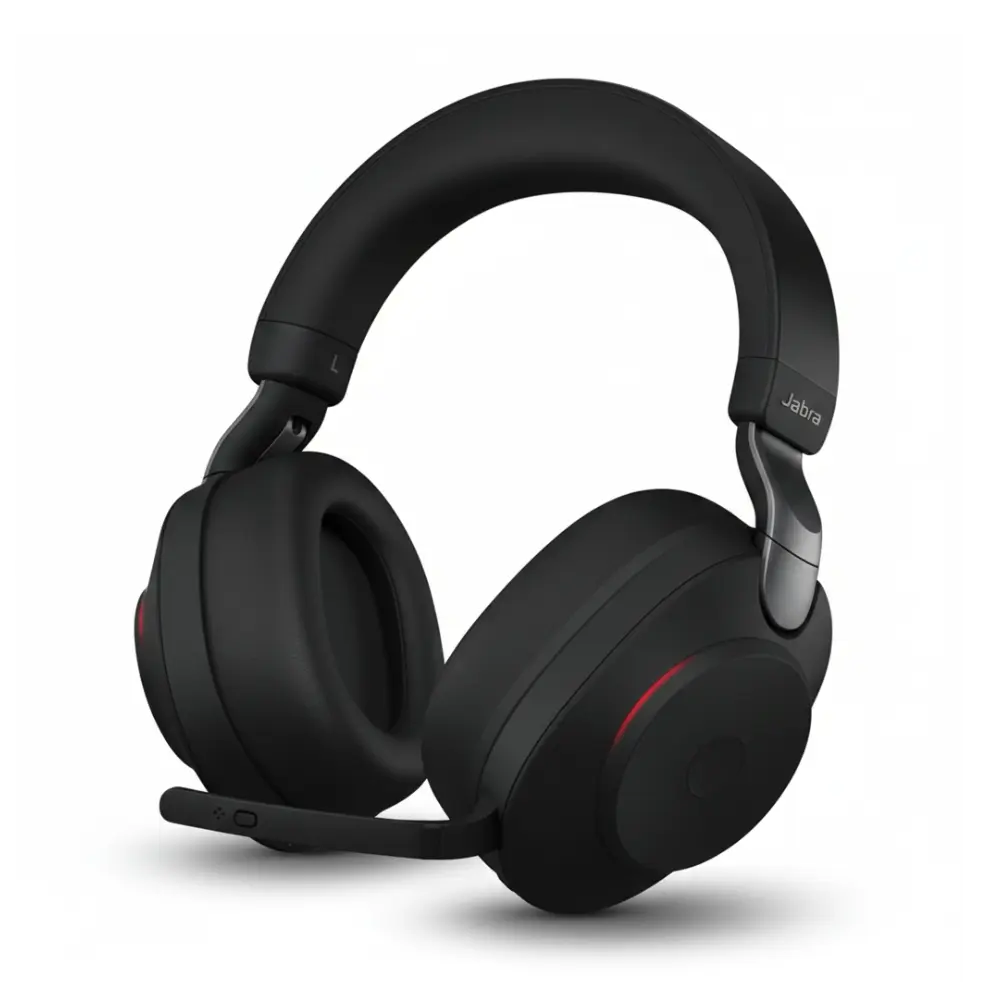
headsets
Every office has that one recurring complaint. Someone’s voice keeps cutting out on a call. A colleague sounds like they’re speaking from inside a tunnel during a Teams meeting. Another person has to repeat themselves three times before anyone understands what they said. Most teams blame the internet connection or the software, when the real problem is often sitting right on someone’s desk: a cheap, mismatched headset that was never built for the way modern work actually happens.
Professional Business headsets exist specifically to solve this problem, and choosing the right one is far less complicated than it looks once you understand what actually matters for your setup.
Why Headset Choice Affects More Than Sound Quality
A headset is one of the few pieces of office equipment that gets used for hours at a stretch, every single day. That makes comfort, reliability, and audio clarity far more important than they might seem at first glance.
Poor audio quality on calls doesn’t just sound unprofessional, it actively slows work down. Meetings run longer when people have to ask “can you repeat that?” Client calls feel less polished when there’s background noise bleeding through the microphone. And employees who spend all day wearing an uncomfortable headset tend to take it off between calls, which means they miss messages and slow down response times across the team.
On the other hand, a well-chosen headset disappears into the background in the best possible way. It just works, call after call, day after day, without anyone thinking about it.
Wired vs. Wireless: Which One Actually Fits Your Team
This is usually the first decision point, and the right answer depends entirely on how people move through their day.
Wired headsets are the dependable choice for fixed workstations. There’s no battery to manage, no charging routine to remember, and the connection never drops mid-sentence. For call centers, reception desks, and any role where someone sits at the same desk all day, wired remains a genuinely strong option, not just a budget fallback.
Wireless headsets make sense for anyone who needs to step away from their desk while staying on a call, grabbing a coffee, walking to a printer, or moving between meeting rooms. The trade-off is battery management and, in busier office environments, potential interference if too many wireless devices are competing for the same frequency range.
A simple way to decide: if the job happens at one desk, wired usually wins on reliability. If the job involves movement, wireless earns its higher price tag.
Understanding DECT, Bluetooth, and UC
These terms show up constantly in headset descriptions, and they matter more than most buyers realize.
Bluetooth headsets pair easily with phones, laptops, and most modern devices. They’re the most flexible option for switching between a mobile phone and a computer throughout the day.
DECT technology is built specifically for professional voice communication. It offers a longer working range than Bluetooth and is less prone to interference in crowded office environments, which makes it the preferred choice for larger workplaces with many wireless devices operating at once.
UC, or unified communications, refers to headsets designed to work smoothly with specific business platforms like Microsoft Teams or Zoom. A UC-certified headset often includes dedicated buttons for muting, answering calls, or triggering platform-specific features, small details that save real time across a workday.
Matching the Headset to the Role
Not every employee needs the same headset, and buying identical models across an entire office often means overpaying for features some teams will never use.
Reception and front-desk staff benefit from lightweight, all-day comfortable designs, since these roles often involve continuous calls throughout the day.
Call center agents are usually best served by wired or DECT headsets with strong noise-canceling microphones, since call clarity directly affects customer experience and call resolution times.
Remote and hybrid employees tend to need portable Bluetooth or wireless options that can move easily between a home office setup and occasional time in a physical office.
Managers and executives who spend significant time in video meetings often benefit from premium wireless models with strong noise cancellation, since these calls tend to involve more nuanced conversation where audio clarity really counts.
A Quick Compatibility Checklist Before Buying
A headset that looks perfect on paper can still be the wrong choice if it doesn’t match your existing setup. Before purchasing, it’s worth confirming a few basics: the connection type your devices support (USB-A, USB-C, or Bluetooth), whether your desk phone requires a specific adapter or electronic hook switch, which communication platform your team relies on most, and whether the model is officially certified for that platform.
Skipping this step is the most common reason offices end up with a drawer full of headsets nobody uses.
Noise Cancellation: Two Different Things People Often Confuse
It’s worth clearing up a common misunderstanding. Active noise cancellation, or ANC, reduces the noise the wearer hears, which is great for focus in a busy open office. Microphone noise cancellation is different. It reduces the background noise other people hear during a call, which matters far more in a professional setting where clarity for the listener is the priority. A perfect office headset can have one, both, or neither, so it’s worth checking which type of noise reduction a model actually offers before assuming it solves your office’s noise problem.
The Real Cost of Cheap Headsets
It’s tempting to buy the least expensive option available, especially when outfitting a large team. Best cheap headsets tend to fail in predictable ways: microphones that pick up too much background noise, ear cushions that wear out within months, and battery life that degrades faster than advertised. Replacing a failing headset every few months usually costs more over a year than buying a durable model once, not to mention the lost productivity from dropped calls and muffled audio in the meantime.
Established brands like Jabra, Poly, Yealink, Logitech, and Sennheiser have built their reputation specifically around solving these durability and clarity issues, which is why they remain the standard choice for business environments.
Final Thoughts
A business headset rarely gets the attention it deserves during office equipment planning, yet it directly affects how professional every call sounds and how comfortable employees feel during long workdays. Taking the time to match the right connection type, noise cancellation features, and platform compatibility to each role pays off in fewer dropped calls, clearer meetings, and less time wasted troubleshooting audio problems.
For businesses ready to upgrade their office audio setup, Find Headsets offers a wide range of headsets from trusted brands like Jabra, Poly, Yealink, and Logitech, along with compatibility guidance to help teams choose the right model for their exact setup.