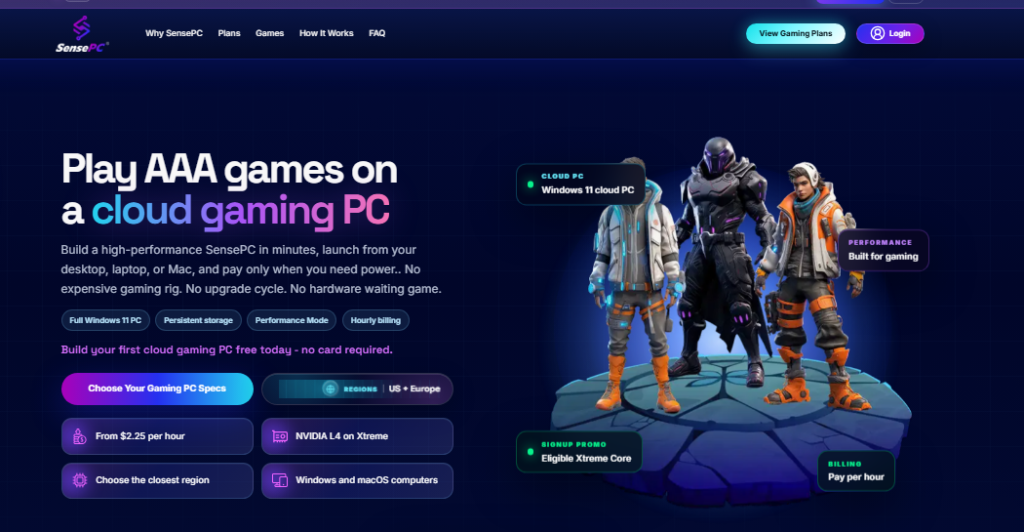
A powerful computer can be useful for gaming, work, development, and creative applications, but buying high-end hardware is not always the most practical solution. For users who need additional computing power without purchasing a physical machine, renting a cloud computer provides an alternative.
A rented cloud computer operates remotely in a data center. Users connect to the machine over the internet and interact with it from their existing laptop, desktop, or other supported device.
What Does It Mean to Rent a Cloud Computer?
When you rent a cloud computer, you are essentially paying for access to a remote computing environment rather than owning the physical hardware.
Depending on the provider, the virtual machine may include a processor, memory, storage, graphics hardware, and an operating system. The resources available depend on the selected configuration and pricing plan.
This model can be useful for users who need powerful computing only at certain times. Instead of purchasing a high-end PC that sits unused for much of the day, they can access remote resources when a demanding workload requires them.
Virtual PC Rental for Different Workloads
A virtual PC rental is not limited to gaming. Remote computers can support many types of workloads depending on their configuration and software compatibility.
For example, users may utilize a cloud PC for:
- Gaming and game testing
- Software development
- Video and graphic work
- Remote productivity
- 3D applications
- Testing different software environments
- GPU-intensive workloads
The advantage is flexibility. Users can choose a configuration appropriate for their workload instead of being permanently tied to the specifications of one physical machine.
What Is a Personal Cloud PC?
A personal cloud PC is a remotely hosted computer that provides an individual with access to a persistent computing environment. Rather than sharing a traditional desktop with other users, the experience is designed around personal access to a remote workspace.
A personal cloud PC can be useful when someone wants their files, applications, settings, and computing environment available remotely. It can also provide a way to separate demanding workloads from the hardware used for everyday tasks.
For gaming, the concept can be especially interesting when the remote machine includes suitable GPU resources.
Using a Cloud Gaming Platform
A cloud gaming platform focuses specifically on delivering games through remote computing infrastructure. Instead of rendering a game locally, the platform runs it on a remote machine and streams the resulting video to the player.
This means the local device does not necessarily need the same level of graphics hardware required by a conventional gaming PC.
However, the experience depends heavily on network conditions. Server location, latency, bandwidth, and connection stability can all influence responsiveness.
When comparing a cloud gaming platform, gamers should therefore consider more than GPU specifications. Game compatibility, supported devices, server locations, pricing, storage, and session policies can all affect the overall experience.
Renting vs. Buying a Gaming PC
Buying a gaming PC provides direct ownership and physical access to the hardware. It can also offer excellent performance without depending on an internet connection for local gameplay.
Renting a cloud computer takes a different approach. There is no need to purchase or maintain the physical system, and users can potentially access their remote environment from multiple locations and devices.
The better fit depends on usage patterns. Someone who plays offline or wants complete hardware control may prefer a physical PC. Someone who values remote access and flexible computing may prefer a cloud-based setup.
Exploring SensePC
SensePC provides cloud PC environments for users who want access to remote computing resources without purchasing a dedicated physical machine. Depending on the selected configuration and use case, a cloud PC can support gaming as well as other demanding computing tasks.
For anyone considering a personal cloud PC or virtual PC rental, it is useful to evaluate the available hardware, pricing model, server location, storage, operating system, and supported applications before choosing a provider.
What to Check Before Renting a Cloud PC
Before signing up for a cloud computer, consider how you plan to use it. Gamers should pay particular attention to GPU capabilities, latency, game compatibility, and streaming quality.
For general-purpose computing, CPU performance, RAM, storage, operating system support, and application compatibility may be more important.
Pricing also deserves careful attention. Some providers charge monthly fees, while others may offer usage-based billing or different tiers. Comparing the actual resources included in each plan can provide a clearer picture of its value.
Final Thoughts
The ability to rent cloud computer resources gives users another way to access powerful hardware without purchasing and maintaining a physical PC. A virtual PC rental can support everything from everyday computing to demanding applications, while a personal cloud PC can provide a remotely accessible environment tailored to an individual’s needs.
For gamers, a suitable cloud gaming platform can extend access to capable hardware from devices that may not have the necessary local specifications. Services such as SensePC demonstrate how cloud computing can bring these remote PC experiences together in a flexible model.
As cloud infrastructure continues to develop, renting computing power can become an increasingly practical option for people who value accessibility, scalability, and remote access.