Not long ago, most companies kept customer data in spreadsheets, email folders, or software installed on one office server. That worked until the team grew, sales reps started travelling, and nobody could say which customer list was current. Many growing businesses now keep that data in the cloud instead. This article explains what cloud CRM is, why adoption keeps rising, how it compares with on-premises systems, and what to check before choosing one.
What Is Cloud CRM?
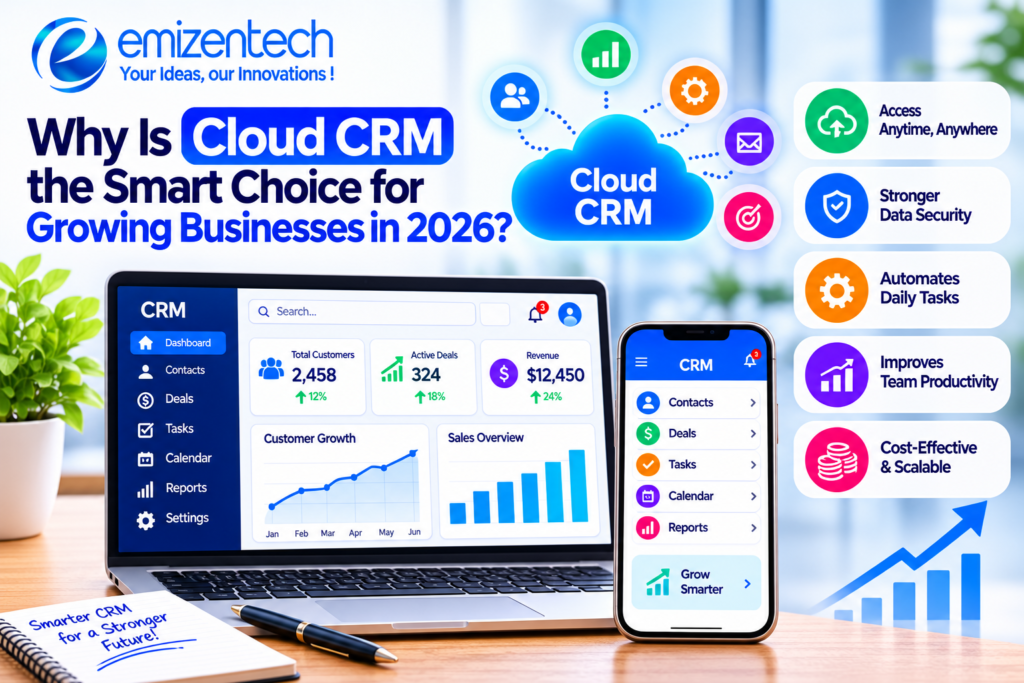
Cloud CRM is customer relationship management software hosted on the vendor’s servers and used through a browser or mobile app. Instead of buying hardware and installing programs, a business pays a subscription and logs in. The vendor handles updates, backups, and server maintenance.
CRM platforms generally fall into operational, analytical, and collaborative categories, and each serves a different purpose. For a deeper breakdown, this guide to types of CRM software explains how they differ. Most cloud products blend all three, so a small retailer and a mid-sized logistics firm may use the same platform in very different ways.
Why Growing Businesses Are Moving to the Cloud?
Growth exposes the weak points of old systems. A team of five can share a spreadsheet, but a team of fifty cannot. New locations, remote hires, and extra sales channels all make scattered data harder to manage. Cloud CRM keeps one shared record for every customer.
Cost matters too. A regional distributor with 40 employees may have no IT staff to maintain servers. A subscription lets it use professional software without that overhead, and updates arrive automatically.
Key Benefits of Cloud CRM
Cloud CRM offers practical advantages that matter most to businesses in the middle of expansion. The benefits below are the ones companies most often report after switching, and each addresses a problem that tends to appear as customer numbers and team size increase.
Lower Upfront Costs
There is no need to buy servers or pay for a large installation. Monthly or annual pricing spreads the cost over time, which helps companies that want to keep cash available for hiring or inventory.
Easy Scalability
Adding a user usually takes a few minutes. When a seasonal rush ends, a business can reduce licenses. On-premise systems rarely allow that kind of adjustment without new hardware.
Remote and Mobile Access
Field reps can update a deal from a client’s parking lot, and managers can review pipelines from home. Everyone works from the same current data instead of emailing files back and forth.
Real-Time Data and Automation
Dashboards update as records change, so reports reflect what is happening now. Automated reminders, task assignments, and email sequences also reduce the manual work that often causes leads to be forgotten.
Cloud CRM vs On-Premise CRM
The choice between hosting models affects budget, staffing, and flexibility. Here is how the two compare on the points most buyers care about.
Cloud CRM
- Setup cost is low and subscription-based
- Deployment takes days to weeks
- The vendor handles maintenance
- Users are easy to add or remove
- Accessible from anywhere with internet
- Data is shared with the provider
On-Premise CRM
- Setup cost is high, including hardware and licenses
- Deployment takes weeks to months
- Your IT team handles maintenance
- Scaling requires new infrastructure
- Access is often limited to the office or VPN
- Data is fully in-house
On-premise systems still make sense for organizations with strict data residency rules or large IT departments. For most growing companies, though, the cloud model is easier to manage.
AI and Automation in Cloud CRM (2026 Trends)
Artificial intelligence is now built into most major CRM platforms, and it is no longer limited to enterprise budgets. Vendors use it to handle repetitive work and surface patterns that people would miss. These are the uses seen most often this year:
- Lead scoring: The system ranks prospects by how likely they are to buy, based on past behavior.
- Automated follow-ups: Emails and reminders are triggered by customer actions, such as opening a quote.
- Sales forecasting: Historical deal data is used to estimate next quarter’s revenue.
- Data entry assistance: Call notes and emails are summarized and logged without manual typing.
These tools support decisions, but they still depend on clean data. Poor records produce poor predictions.
Security and Data Protection Concerns
Storing customer data with a third party raises fair questions. Reputable providers use encryption, role-based access, regular backups, and compliance certifications such as SOC 2 and ISO 27001. Many also support regional rules like GDPR and CCPA.
Still, responsibility is shared. Weak passwords, unused accounts, and overly broad permissions are common causes of breaches. Businesses should enable multi-factor authentication, review user access every quarter, and ask vendors where data is stored and how quickly they report incidents.
Key Features to Look For in a Cloud CRM
Feature lists can be long, and many tools look similar at first glance. It helps to focus on the capabilities that affect daily work, since an unused feature adds cost and complexity without adding value.
Contact and Pipeline Management
You should be able to see every interaction with a customer, along with where each deal stands, in one view.
Integrations
Check that the CRM connects with your email, accounting software, and marketing tools. Manual exports defeat the purpose of a central system.
Reporting and Dashboards
Look for reports that managers can build without technical help, such as conversion rates and average deal length.
Customization and Access Controls
Fields, workflows, and permissions should match how your team actually works, not force you into a fixed process.
How to Choose the Right Cloud CRM for Your Business?
Picking a CRM is easier when the decision starts with your own processes rather than a vendor’s demo. A clear view of your sales steps, team size, and budget narrows the options quickly and prevents paying for tools that will not be used.
Define Your Needs First
Write down your current sales process and the specific problems you want fixed, such as missed follow-ups or unclear forecasts.
Test With Real Workflows
Use a free trial with actual data. Ask a few team members to complete everyday tasks and note where they struggle.
Plan the Data Move
Clean duplicate and outdated records before importing them. Migrating messy data only carries old problems into the new system.
Decide Whether You Need Custom Work
Some businesses have unusual workflows or industry rules that standard platforms cannot handle. In that case, working with a CRM Development Company in usa can help build the integrations or modules that off-the-shelf tools lack. Ask for references and examples of similar projects before committing.
Conclusion
For most growing businesses, cloud CRM offers a practical balance of cost, flexibility, and access. It suits teams that work from different places, expect to scale, and want less time spent on maintenance. Companies with strict data controls may still prefer on-premises or hybrid setups. Whatever the choice, success depends on clear goals, clean data, and steady team adoption. EmizenTech works with businesses on CRM planning and development, and the same advice applies: start with your process, then pick the tool.
FAQs
- How much does cloud CRM cost?
Pricing usually runs from about $15 to $150 per user each month, depending on features and vendor. Add-ons and integrations can raise the total. - Is cloud CRM secure enough for sensitive data?
Established providers offer strong encryption and certifications. Security also depends on how well your team manages passwords and permissions. - How long does migration take?
A small team can finish in a few weeks. Larger companies with complex data may need two to three months. - Can a cloud CRM be customized?
Yes. Most platforms allow custom fields, workflows, and integrations, and some support deeper development through APIs.