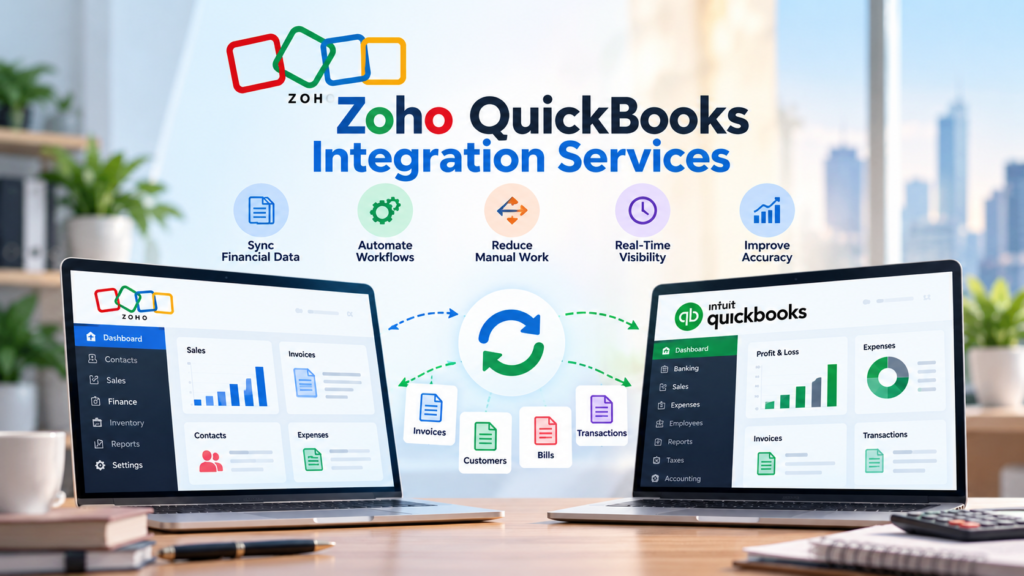
Managing business finances becomes difficult when accounting data is spread across different platforms. Many companies use QuickBooks for accounting while relying on Zoho applications for CRM, sales, customer management, automation, and other business processes. Although both platforms are useful independently, keeping information synchronized between them can become a time-consuming task.
This is where Zoho QuickBooks Integration Services can make a practical difference. Integration connects important financial and business data so teams can spend less time entering information manually and more time managing customers, sales, and business growth.
For businesses using Zoho and QuickBooks together, the goal is not simply to connect two applications. The real goal is to create a smoother flow of information, reduce repetitive work, improve financial visibility, and avoid mistakes caused by disconnected systems.
In this guide, we will look at why businesses invest in Zoho QuickBooks Integration Services, how the integration works, what benefits it provides, common challenges, and how Vision Infotech can help businesses build a reliable integration setup.
What Is Zoho QuickBooks Integration?
Zoho QuickBooks integration connects selected Zoho applications with QuickBooks so that relevant business and financial information can move between the systems.
For example, a business may manage leads and customers through Zoho CRM while its finance team uses QuickBooks for invoices, payments, expenses, and accounting records. Without integration, employees may have to copy information from one platform to another.
With Zoho QuickBooks Integration Services, companies can automate many of these data-sharing activities.
Depending on business requirements, an integration may synchronize information such as:
Customer and contact details
Products and services
Invoices
Payments
Sales information
Tax-related information
Estimates
Expenses
Orders
Accounting records
The exact workflow depends on the applications, business processes, and data fields involved.
Why Do Businesses Need Zoho QuickBooks Integration Services?
The main reason businesses choose Zoho QuickBooks Integration Services is simple: they want their business and financial systems to work together instead of operating as separate islands.
A growing company may have sales representatives creating customer records in Zoho CRM while accountants create invoices in QuickBooks. If these systems are not connected, employees may need to enter the same information more than once.
That creates unnecessary work and increases the possibility of errors.
Integration creates a more connected workflow where information can move between systems based on predefined rules.
1. Reduces Manual Data Entry
Manual data entry is one of the biggest problems businesses face when using multiple applications.
Imagine a sales employee creates a new customer in Zoho CRM. The accounting team then has to open QuickBooks and manually create the same customer record. If the business handles dozens or hundreds of customers every month, this process can consume significant working hours.
Zoho QuickBooks Integration Services can reduce this duplication by automatically transferring relevant information between connected applications.
Employees can spend less time copying data and more time working on activities that require human judgment.
2. Helps Reduce Data Entry Errors
Manual data entry does not only take time. It can also introduce mistakes.
A small error in a customer name, billing address, invoice amount, or payment record can create problems later. Employees may also accidentally enter duplicate customer records.
With Zoho QuickBooks Integration Services, businesses can establish automated workflows that reduce the need for repeated manual entry.
Automation does not eliminate every possible accounting error, but it can significantly reduce errors caused by repetitive copying and inconsistent data entry.
3. Creates Better Customer and Financial Data Visibility
Sales and finance teams often look at the same customer from different perspectives.
The sales team may want to know:
Who is the customer?
What products are they interested in?
What is the sales history?
What stage is the opportunity in?
The finance team may want to know:
Has the customer been invoiced?
Has the invoice been paid?
Is there an outstanding balance?
What financial activity has taken place?
When systems are connected properly, teams can access more complete information.
This is another important reason companies invest in Zoho QuickBooks Integration Services. Better visibility helps employees make decisions using more consistent information.
4. Makes Invoicing More Efficient
Invoicing is an important part of almost every business operation.
Without integration, a completed sale in Zoho may require someone to manually create an invoice in QuickBooks. This creates an additional step between the sales and accounting teams.
With Zoho QuickBooks Integration Services, businesses can design workflows that connect sales activities with financial processes.
For example, when a particular sales process reaches an approved stage, the relevant customer and transaction information may be transferred to QuickBooks according to the configured integration rules.
This can help businesses reduce delays between closing a sale and beginning the billing process.
5. Improves Communication Between Sales and Finance Teams
Sales and finance departments often have different priorities. However, both teams depend on accurate customer information.
A disconnected workflow can create situations where sales employees believe one thing while accounting records show something different.
Zoho QuickBooks Integration Services can help create a shared flow of information between departments.
When customer, sales, invoice, and payment information is synchronized appropriately, employees have fewer reasons to ask other teams for basic updates.
That can improve internal communication and make everyday operations more efficient.
6. Saves Time as the Business Grows
A manual process that works for 20 customers may become difficult when a business reaches 200 or 2,000 customers.
As transaction volume increases, the number of records that employees must manually transfer also increases.
This is where scalable Zoho QuickBooks Integration Services become valuable.
Instead of adding more administrative work every time transaction volume grows, businesses can automate suitable parts of the workflow.
The objective is not to automate everything blindly. Businesses should identify repetitive processes where automation can provide measurable value while keeping important financial controls in place.
7. Supports Better Financial Tracking
Accurate financial information is essential for business planning.
Management teams need to understand revenue, outstanding payments, expenses, customer activity, and other financial indicators before making important decisions.
When Zoho and QuickBooks operate separately, employees may need to combine information manually to understand the complete picture.
With Zoho QuickBooks Integration Services, relevant data can move between business and accounting systems, making it easier to maintain consistent records.
This can support better reporting and help decision-makers work with more reliable information.
How Does the Integration Work?
The integration process depends on the specific Zoho products and QuickBooks environment being used.
A typical integration begins with identifying which applications need to communicate and what information should be exchanged.
For example, a business may connect Zoho CRM with QuickBooks to synchronize customer information, invoices, and payment-related data.
Step 1: Understand the Existing Workflow
Before connecting anything, businesses should document how information currently moves between sales, operations, and accounting teams.
This helps identify unnecessary manual steps and potential automation opportunities.
Step 2: Define the Data to Synchronize
Not every piece of information needs to move between systems.
Businesses may choose to synchronize customers, products, invoices, payments, or other selected records.
Defining these requirements early helps prevent unnecessary complexity.
Step 3: Map the Data Fields
The same information may have different field names or structures in different applications.
For example, a customer field in one system may correspond to a customer or account field in another.
Proper data mapping is therefore an important part of Zoho QuickBooks Integration Services.
Step 4: Configure Automation Rules
Businesses can then establish rules that determine when and how information should be transferred.
For example, a specific customer record created in Zoho may be sent to QuickBooks when certain conditions are met.
Step 5: Test Before Going Live
Testing is essential, particularly when financial records are involved.
A professional implementation should verify whether records are transferred correctly, whether duplicate data is created, and whether field mappings work as expected.
Step 6: Monitor and Improve the Integration
Integration should not be treated as a one-time technical task.
As a company changes its sales process, accounting workflow, or Zoho applications, the integration may also need adjustments.
Regular monitoring can help businesses maintain a reliable connection between their systems.
What Challenges Can Integration Solve?
Many companies initially search for Zoho QuickBooks Integration Services because they are facing practical operational problems.
One common issue is duplicate customer information. Another is delayed invoice creation. Some businesses struggle because sales and finance teams maintain different records.
Integration can address these issues by creating a structured flow of information.
For example, consider a small professional services company. Its sales team uses Zoho CRM to manage prospects and customers, while the accounting department uses QuickBooks to manage billing. Before integration, the finance employee manually creates every new customer and invoice.
After implementing a properly designed integration, relevant customer and transaction information can be transferred according to predefined workflows.
The result is a simpler process with fewer repetitive steps.
How Zoho Consulting Services Support Integration
Integration is not only about connecting software. Businesses also need to understand how their existing processes should be configured.
This is where Zoho Consulting services can provide additional value.
A consultant can review the company’s current workflow, identify unnecessary manual activities, recommend suitable Zoho applications, and help determine which information should be synchronized with QuickBooks.
For example, a business may discover that it does not need to synchronize every field. Instead, it may only need customer, invoice, and payment information.
A well-planned integration is usually easier to maintain than an unnecessarily complicated one.
Zoho QuickBooks Integration vs. Xero Integration
QuickBooks is not the only accounting platform businesses may use with Zoho.
Some organizations use Xero and may require Xero to Zoho Integration services in USA to connect accounting information with their Zoho environment.
The right approach depends on the company’s existing accounting platform, operational requirements, reporting needs, and future plans.
Businesses should not select an integration simply because it is technically possible. The solution should match their actual workflow.
For organizations already using QuickBooks, Zoho QuickBooks Integration Services can be a practical option for connecting customer-facing processes with accounting operations.
What Should Businesses Consider Before Integration?
Before implementing an integration, companies should consider several factors.
Data Security
Financial information is sensitive. Access permissions, authentication, and data handling should be carefully reviewed before implementation.
Data Accuracy
Businesses should determine which system is the primary source for specific types of information. This helps avoid conflicting records.
Integration Scope
Start with the processes that provide the greatest business value. Trying to automate every workflow at once can make implementation unnecessarily complicated.
Scalability
The integration should be designed with future growth in mind. A workflow that works today should ideally be able to support increasing transaction and customer volumes.
Ongoing Support
Business applications and processes change over time. Having professional support available can make troubleshooting and future improvements easier.
Why Choose Vision Infotech for Zoho QuickBooks Integration?
Choosing the right implementation partner is important because integration affects both operational and financial workflows.
Vision Infotech approaches integration from a business-process perspective rather than simply connecting applications and considering the project complete.
The team can help businesses understand their existing workflow, identify integration requirements, configure suitable automation, and improve the overall Zoho environment.
With experience across Zoho-based business solutions, Vision Infotech can also support companies that need Zoho Consulting services alongside integration.
The focus should be on creating a practical solution that employees can actually use. Whether a company needs customer synchronization, invoice workflows, accounting automation, or broader Zoho customization, the integration should be designed around its specific requirements.
Vision Infotech can also help businesses review their integration as their processes evolve, making it easier to adjust workflows when new applications, departments, or business requirements are introduced.
Is Zoho QuickBooks Integration Worth It for Small Businesses?
Small businesses sometimes assume integration is only useful for large organizations. In reality, smaller companies can benefit significantly because they often have limited administrative resources.
When one employee is responsible for several operational tasks, reducing repetitive data entry can save valuable time.
For a small business, Zoho QuickBooks Integration Services can help connect sales and accounting activities without requiring employees to repeatedly transfer the same information.
The key is to start with a clear business need. If a company spends several hours every week moving customer or invoice data between systems, automation may offer a strong return on investment.
The Long-Term Value of Business System Integration
The biggest advantage of integration is not simply saving a few minutes on individual tasks.
Over time, connected systems can help create a more organized operating environment.
Employees can work with more consistent information. Finance teams can spend less time correcting avoidable data-entry mistakes. Sales teams can focus more on customers instead of administrative tasks. Management can also gain better visibility into business activity.
That makes Zoho QuickBooks Integration Services more than a technical connection. When planned correctly, integration becomes part of a broader strategy for improving business efficiency and data management.
Conclusion
Businesses use Zoho QuickBooks Integration Services because disconnected systems can create unnecessary work, duplicate records, delayed invoicing, and inconsistent information. Connecting Zoho with QuickBooks can create a smoother flow between customer management, sales, billing, and accounting activities.
The real value comes from designing the integration around the company’s actual workflow. Businesses should identify which data needs to be synchronized, define clear automation rules, test the connection carefully, and monitor the system after implementation.
For companies using Zoho and QuickBooks together, the right integration can reduce manual work while giving teams better access to accurate business and financial information.
Vision Infotech can help businesses plan and implement an integration strategy that fits their processes rather than forcing them into a one-size-fits-all setup. With the right combination of integration, automation, customization, and Zoho Consulting services, businesses can build a more connected workflow and create a stronger foundation for long-term growth.