Upgrading home security no longer requires spending a fortune on high-end luxury systems. Advances in hardware design and smart home integration have made budget-friendly smart door locks accessible to almost every homeowner.
However, buying a smart lock on a budget requires careful evaluation. Lower price points can tempt manufacturers to cut corners on physical durability, encryption protocols, or essential backup systems. Knowing which features are mandatory and which are optional luxury add-ons ensures maximum value for your money.
Here are the top non-negotiable features to prioritize when choosing a budget-friendly smart door lock.
1. Multi-Mode Unlocking Options (3-in-1 or 4-in-1 Access)
Relying on a single access method creates single-point failure risks. A solid budget-friendly digital lock should offer at least three to four unlocking methods:
-
360° Biometric Fingerprint Recognition: Look for a capacitive fingerprint sensor that reads prints at any angle in less than 0.5 seconds.
-
Passcode/PIN Access: Allows entry without biometric access, perfect for house guests or domestic helpers.
-
RFID Cards / Key Fobs: A simple tap-and-enter mechanism that is easy for young children and senior citizens to use.
-
Mechanical Key Override: A physical key cylinder for emergency entry if digital systems fail.
Pro Tip: Never buy a smart lock that omits a physical key override. Even affordable smart locks must retain mechanical backup options for complete safety.
-
Anti-Prank / Wrong-Code Lockdown: Automatically locks the keypad and triggers an alarm if someone enters an incorrect PIN or fingerprint 5 consecutive times.
-
Spy-Code / Dummy PIN Protection: Allows input of random digits before or after the real passcode (e.g.,
XXXX+Real PIN+XXXX) to prevent onlookers from memorizing PINs.
2. Solid Physical Build & Bolt Mechanism
Smart software is useless if the mechanical body is weak. Cheap plastic housings or thin deadbolts are vulnerable to physical intrusion.
Look for these physical hardware specifications:
| Component | Minimum Recommended Spec | Why It Matters |
| Body Material | Zinc Alloy or High-Grade Aluminum | Resists physical impacts and rust. |
| Lock Mechanism | Stainless Steel Mortise or Multi-Bolt Rim Lock | Prevents crowbar and forced-entry attacks. |
| Door Thickness Compatibility | 35mm to 65mm | Fits standard wooden and flush doors seamlessly. |
3. Privacy Mode & Passage Mode Controls
A great budget smart lock adapts to daily household routines:
-
In-Built Privacy Mode (Internal Deadlocking): Engaging this toggle from inside disables all external digital access (fingerprint, PIN, RFID card). Only the master password or physical key can open the door, ensuring complete night-time privacy.
-
Passage Mode: Allows the door to stay unlocked during high-traffic times (parties, family gatherings, moving days) without needing repeated credential scans.
4. Retrofit vs. Fresh Door Compatibility & Installation Costs
One hidden cost that frequently catches budget buyers off-guard is the installation process. Even the most affordable smart lock becomes expensive if it requires replacing the entire door leaf or hiring specialized carpentry services.
Before making a purchase, evaluate the structural compatibility:
-
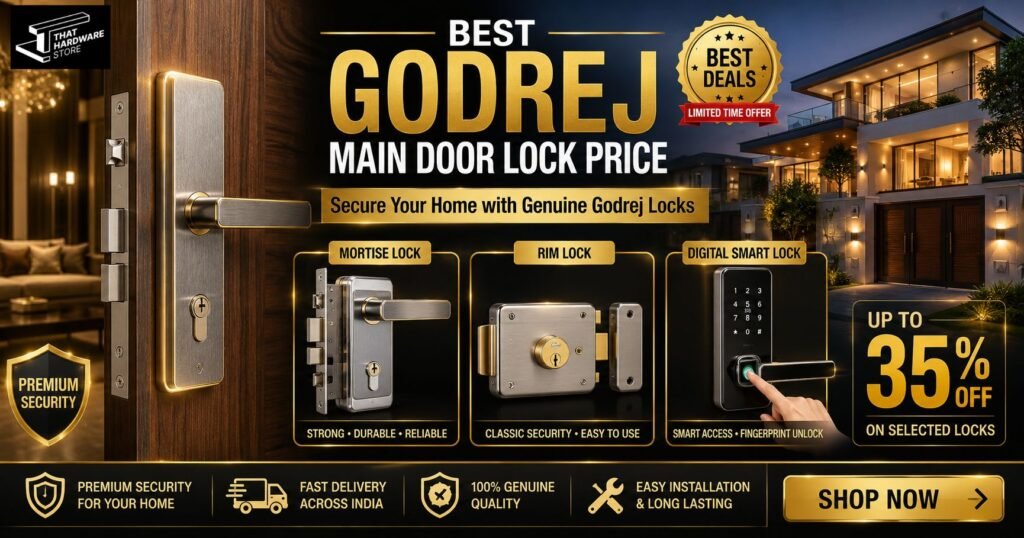
Retrofit / Rim Smart Locks: Ideal if you want to replace an existing surface-mounted night latch or rim lock without heavy cutting. They mount on the interior side of the door and use existing drill holes, keeping labor costs minimal.
-
Mortise Smart Locks: Require a recessed pocket (mortise cut) inside the edge of the door. They provide superior multi-bolt strength but generally require fresh wooden doors or expert carpentry to carve out the precise handle and latch pockets.
-
Door Material & Thickness: Standard smart locks require wooden doors between 35mm and 65mm in thickness. Double-check that your door isn’t too thin, hollow-core, or made of framed glass/metal grills, which may require specialized narrow-frame locks.
Installation Tip: Factor in installation fees when planning your budget. Choosing a brand that offers free or subsidized technician installation can save you an extra ₹1,000 to ₹2,000 upfront.
What to Skip to Keep Costs Low
To stay within a budget, avoid features that inflate prices without adding core security:
-
Built-in HD Video Screen Cameras: Locks with live video feeds cost 40-60% more. A standard video doorbell paired with a basic smart lock provides a better experience at lower cost.
-
Direct 24/7 Wi-Fi Modules: Wi-Fi drains batteries faster and increases price. Opt for Bluetooth-enabled models or locks with an optional gateway bridge instead.
Final Recommendation
When shopping for an affordable smart main door lock, balance physical mechanical strength with digital convenience. Choosing a lock from an established security brand ensures solid build quality, reliable warranty coverage, and readily available aftermarket service.