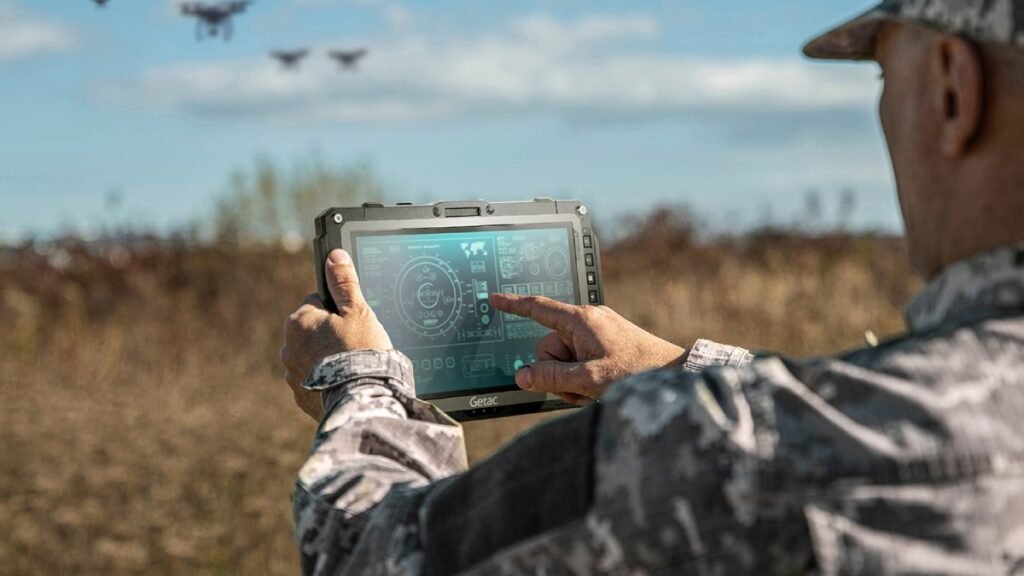
Businesses that operate in demanding environments need reliable technology to keep their daily operations running smoothly. Standard tablets may work well in offices, but they are not always suitable for construction sites, warehouses, factories, and outdoor locations. A Rugged Tablet Computer offers a practical solution for professionals who need a durable and portable device for work.
These tablets are designed to handle challenging working conditions while providing access to business applications, digital documents, and communication tools. Whether you are a field technician, construction manager, warehouse worker, or industrial professional, choosing the right rugged tablet can improve productivity and make everyday tasks easier.
What Is a Rugged Tablet Computer?
A rugged tablet computer is a portable computing device designed for use in environments where ordinary tablets may be more vulnerable to damage. Depending on the model, it may feature a reinforced body, a protected screen, sealed ports, and resistance to dust, water, vibration, or accidental drops.
Unlike conventional tablets, rugged devices are developed with professional working conditions in mind. Some models also include features such as barcode scanning, specialised ports, replaceable batteries, and compatibility with vehicle mounts.
The level of protection differs between devices, so businesses should always review the manufacturer’s specifications before purchasing a tablet for a particular environment.
Key Benefits of a Rugged Tablet Computer
Durable Construction for Demanding Environments
Durability is one of the main reasons businesses choose rugged tablets. Employees who work in factories, workshops, construction areas, and outdoor locations may expose their devices to dust, moisture, and accidental impacts.
A properly selected rugged tablet can provide better protection than a standard consumer tablet. This can help reduce disruptions caused by equipment damage and support more consistent daily operations.
However, no device is completely damage-proof. Buyers should check its official drop-test results and ingress protection rating to understand its limitations.
Portable and Easy to Use
A rugged tablet combines portability with professional computing capabilities. Workers can carry it between workstations, use it during inspections, and access information without returning to a desk.
Its touchscreen interface makes it convenient to complete forms, review documents, update records, and communicate with team members. Some models also support stylus input or external keyboards for specialised tasks.
Reliable Performance
Performance is another important factor when choosing a rugged tablet. Business users may need to run inventory systems, maintenance applications, mapping software, diagnostic tools, or field service platforms.
Before making a purchase, compare the processor, RAM, storage capacity, operating system, and software compatibility. Choosing suitable specifications helps ensure the device can handle daily workloads without unnecessary delays.
Important Features to Consider
Battery Life
Field professionals may work long shifts without access to a convenient charging point. A tablet with suitable battery capacity can help them complete inspections, update records, and access business applications throughout the working day.
Some rugged tablets offer replaceable batteries or extended battery options. Actual battery life depends on the device, workload, connectivity, screen brightness, and environmental conditions.
Screen Visibility
Outdoor workers need a display that remains readable in different lighting conditions. A screen with strong brightness and an appropriate anti-glare design can make information easier to view in sunlight.
Touchscreen performance is also important. Workers should consider whether the display supports glove operation or wet-touch functionality if these features are necessary for their jobs.
Connectivity Options
A professional tablet may need Wi-Fi, Bluetooth, GPS, or mobile network connectivity. The right combination depends on where employees work and how they access company systems.
For example, field service teams may benefit from mobile connectivity when working away from office networks. Warehouse employees may prioritise Wi-Fi and barcode-scanning compatibility.
Industries That Use Rugged Tablets
Construction and Engineering
Construction professionals can use rugged tablets to access building plans, review project documents, record site inspections, and update progress reports. Portable devices can also make it easier to share information between field teams and office staff.
Warehousing and Logistics
Warehouse employees can use rugged tablets for inventory management, order processing, stock tracking, and delivery documentation. Models with compatible barcode scanners can help simplify repetitive operational tasks.
Manufacturing and Industrial Operations
Factories often require devices that can operate reliably around machinery and production areas. A rugged tablet can provide access to maintenance records, equipment information, digital checklists, and production management systems.
Field Service and Maintenance
Technicians working at customer locations can use rugged tablets to review service histories, diagnose equipment issues, complete reports, and access technical manuals. This can help reduce paperwork and improve communication with support teams.
Choosing the Right Rugged Tablet Computer
Selecting the right device begins with identifying your business requirements. Consider the environment in which the tablet will be used, the applications it must run, and the level of protection required.
Next, compare screen size, battery performance, processing power, connectivity, and available accessories. You should also check whether the device supports your existing software and security requirements.
Warranty coverage, repair services, replacement parts, and long-term availability are important considerations for businesses purchasing multiple devices. Comparing these factors can help you understand the overall cost of ownership.
It is also useful to review established rugged computing brands, including Panasonic Toughbook and Getac. Compare individual models rather than relying on brand names alone, because specifications and protection levels vary across product ranges.
Conclusion
A Rugged Tablet Computer can be a valuable investment for businesses that need portable technology in challenging working environments. Its durable construction, practical touchscreen features, and professional computing capabilities can support employees across construction, logistics, manufacturing, and field services.
Before purchasing, evaluate durability ratings, battery life, performance, connectivity, and software compatibility. Choosing a device that matches your actual working conditions can help improve productivity and provide a reliable solution for everyday business operations