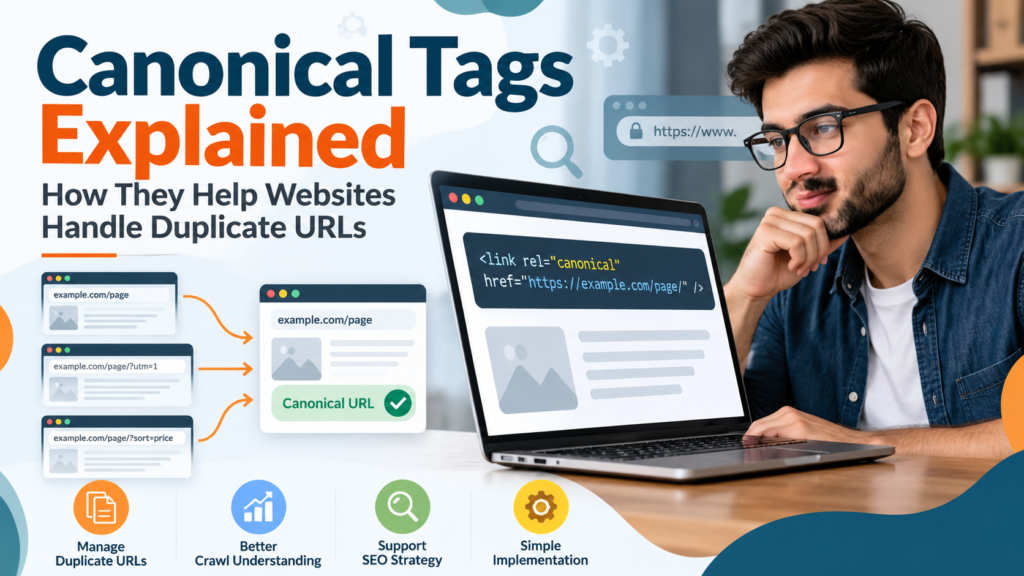
A website can sometimes make the same or very similar content available through multiple URLs. This may happen because of tracking parameters, filtering options, HTTP and HTTPS versions, category structures, or other technical configurations.
For visitors, these pages may appear almost identical. For search engines, however, multiple URLs containing substantially similar content can make it harder to determine which version should be treated as the primary page.
This is where canonical tags become useful.
What Is a Canonical Tag?
A canonical tag is an HTML element that indicates the preferred URL for a page when similar or duplicate versions exist.
It normally appears inside the <head> section of a webpage:
<link rel="canonical" href="https://example.com/original-page/" />In this example, the website is indicating that:
https://example.com/original-page/is the preferred version of the content.
Canonicalization helps search engines understand relationships between duplicate or highly similar URLs. Google describes canonicalization as the process of selecting a representative URL from a group of duplicate pages. Google for Developers
Why Can Duplicate URLs Exist?
Duplicate URLs do not necessarily mean that someone deliberately copied content.
Modern websites can automatically create different URLs that display the same or very similar information.
For example:
example.com/product/
example.com/product/?color=blue
example.com/product/?utm_source=email
Depending on the website configuration, all three URLs could display essentially the same primary content.
Other common causes include:
- tracking parameters
- sorting and filtering options
- HTTP and HTTPS versions
- www and non-www versions
- printer-friendly pages
- ecommerce product variations
- session parameters
- content management system settings
Some duplicate content on a website is normal. The objective is to make it easier for search engines to understand which URL represents the preferred version. Google for Developers
How Canonical Tags Work
Suppose a website has these URLs:
https://example.com/laptops/
https://example.com/laptops/?sort=price
If both pages contain substantially the same main content, the second URL could contain a canonical tag pointing to the primary page:
<link rel="canonical" href="https://example.com/laptops/" />This provides search engines with a canonicalization signal indicating which URL the site owner prefers.
However, an important detail is often misunderstood: specifying a canonical URL does not guarantee that Google will always select it.
Google considers canonical declarations together with other signals and may select another URL when its systems determine that another version is more representative. Google for Developers
Why Canonicalization Matters for Website Management
When several URLs represent essentially the same content, website owners may find it more difficult to understand which URL should be promoted, internally linked, included in sitemaps, or monitored.
A consistent canonical strategy can help create a clearer website structure.
It can be particularly useful when a website contains unavoidable URL variations generated by ecommerce platforms, filtering systems, tracking parameters, or a content management system.
Canonical Tags and SEO
Canonical tags are commonly discussed in technical SEO because search engines need to decide which URL should represent duplicate or highly similar content.
Without consistent signals, a search engine may select a different canonical URL from the one a website owner expected.
Canonical tags can therefore form part of a broader technical SEO strategy alongside:
- redirects
- XML sitemaps
- internal linking
- HTTPS configuration
- hreflang implementation
- crawl controls
These signals should ideally support a consistent URL structure rather than contradict one another.
Self-Referencing Canonical Tags
A self-referencing canonical points to the same URL on which it appears.
For example, on:
https://example.com/seo-guide/the page could contain:
<link rel="canonical" href="https://example.com/seo-guide/" />This clearly identifies the preferred version of the page.
It can also help maintain consistency when parameters or other alternate versions of a URL are generated elsewhere.
Creating a Canonical Tag
A canonical element itself is relatively simple, but the destination URL needs to be chosen carefully.
For website owners who want to create the HTML syntax without manually formatting it each time, a Canonical Tag Generator can provide the basic canonical markup after the preferred URL is entered.
The generated code should still be reviewed before adding it to a live website. The important decision is not merely generating the tag—it is selecting the correct preferred URL.
Canonical Tags vs. 301 Redirects
Canonical tags and redirects are sometimes confused, but they serve different purposes.
A 301 redirect sends visitors and crawlers from one URL to another.
For example:
Old URL
↓
301 Redirect
↓
New URL
A canonical tag works differently.
The alternate URL can remain accessible, while the canonical element indicates a preferred version.
Therefore, if an old page has permanently moved and users should no longer access the old URL, a redirect may be more appropriate.
If multiple accessible URL variations legitimately need to remain available while representing similar content, canonicalization may be useful.
The correct approach depends on why the duplicate URLs exist.
Avoid Pointing Canonicals to Irrelevant Pages
A canonical URL should represent substantially the same content.
For example, an article about laptop storage should not simply point its canonical tag to a website’s homepage because the owner prefers the homepage to rank.
Canonicalization is designed to help identify representative versions of duplicate or highly similar content, not to merge unrelated pages.
Keep Internal Signals Consistent
Canonical tags work best as part of a consistent technical structure.
Suppose a page declares:
Canonical → URL Abut the XML sitemap lists URL B, internal links mostly point toward URL B, and redirects create additional variations.
These conflicting signals can make the site’s intended structure less clear.
Website owners should therefore review canonical URLs together with:
- internal links
- sitemap URLs
- redirects
- HTTPS versions
- preferred domain versions
Consistency makes the intended URL structure easier to understand.
Check Canonicals After Website Migrations
Website migrations can introduce unexpected canonical problems.
This may happen after:
- changing a domain
- switching from HTTP to HTTPS
- changing permalink structures
- moving content to new URLs
- redesigning a website
- changing an SEO plugin
- moving to another CMS
After a migration, important pages should be checked to ensure their canonical tags still point to the intended destinations.
An outdated canonical could continue referencing an old URL even though the website has otherwise been migrated successfully.
Canonical Tags and Ecommerce Websites
Ecommerce websites frequently generate URL variations through filters and sorting controls.
A product category could potentially appear through URLs containing parameters for:
color
size
price
brand
sorting
Some variations may represent genuinely useful pages, while others may contain nearly identical content.
There is no universal canonical configuration suitable for every ecommerce website. Site owners need to determine which URLs provide distinct value and which are simply alternate versions of existing content.
How to Check a Canonical Tag
One simple method is to inspect the HTML source and search for:
rel="canonical"You can then check whether the URL in the href attribute is the intended preferred URL.
For pages indexed by Google, Search Console’s URL Inspection information can also help website owners understand the canonical Google selected. Google specifically recommends checking Google’s selected canonical when troubleshooting canonicalization issues. Google for Developers
Common Canonical Tag Mistakes
Several mistakes can make canonical implementation confusing.
Common examples include:
Pointing to the wrong URL
A copied template may accidentally reference another page.
Using broken URLs
A canonical should not unintentionally point toward a missing resource.
Creating conflicting signals
Sitemaps, redirects, internal links, and canonical tags should not unnecessarily contradict one another.
Forgetting migration updates
Old canonical URLs may remain after domains or page structures change.
Assuming canonical tags are absolute commands
Search engines may consider additional signals when selecting the canonical version.
A Simple Canonical Audit Workflow
Website owners can use a straightforward process:
- Identify pages with duplicate or highly similar URL versions.
- Decide which URL should be the preferred version.
- Inspect the canonical element.
- Verify that the canonical destination is accessible and appropriate.
- Check internal links and sitemap entries for consistency.
- Review redirects that affect the same URLs.
- Use Search Console when investigating Google’s selected canonical.
- Recheck important pages after major website changes.
This provides a more systematic approach than simply adding canonical tags everywhere without reviewing the underlying URL structure.
Final Thoughts
Canonical tags are a small piece of HTML, but they can play an important role in managing websites where the same or similar content appears through multiple URLs.
The key is not simply adding a rel="canonical" element. Website owners should understand why duplicate URLs exist, select an appropriate preferred version, and keep related technical signals consistent.
When implemented thoughtfully, canonical tags can help create a cleaner and easier-to-understand URL structure for both website owners and search engines.